
Opening an US IBKR account for Malaysians
Now that you’re familiar with Interactive Brokers (IBKR) and ready to begin your investing journey, we’ve prepared a step-by-step guide to help you open your account with confidence. IBKR offers a user-friendly platform and a straightforward account opening process, so you can get started and access global investment opportunities in no time.
Updated: 23 June 2026
How to Open an IBKR Account
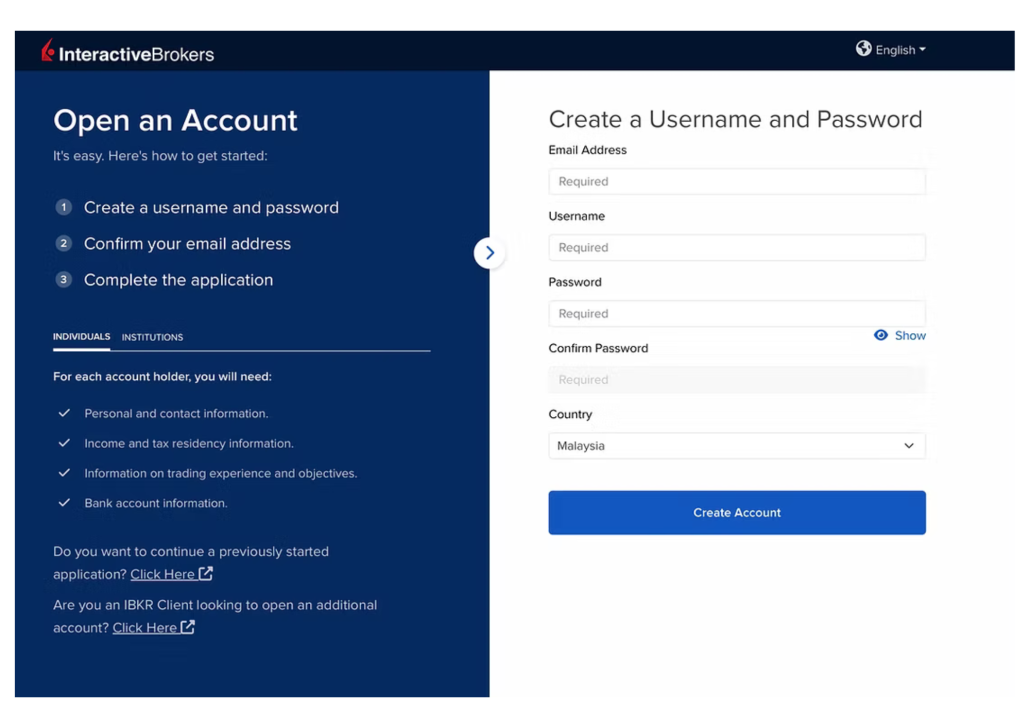
The first step is to visit the Interactive Brokers website and begin your account application.
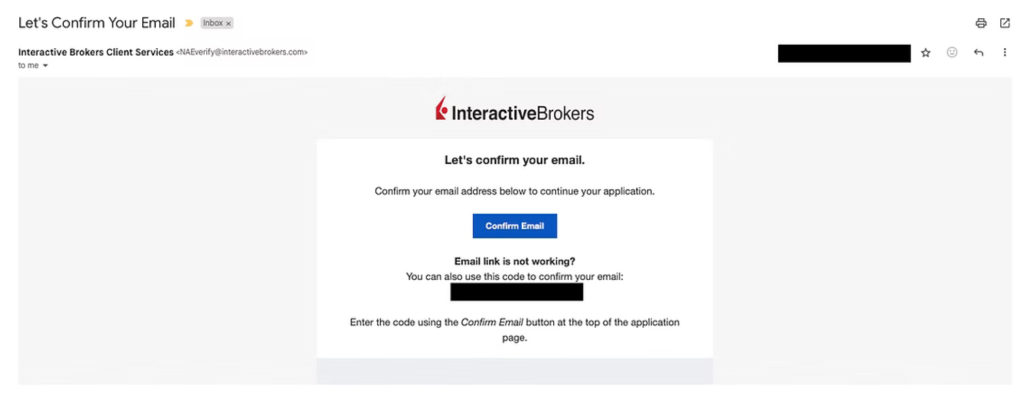
2) You will receive an email from IBKR to confirm and verify your email shortly after.
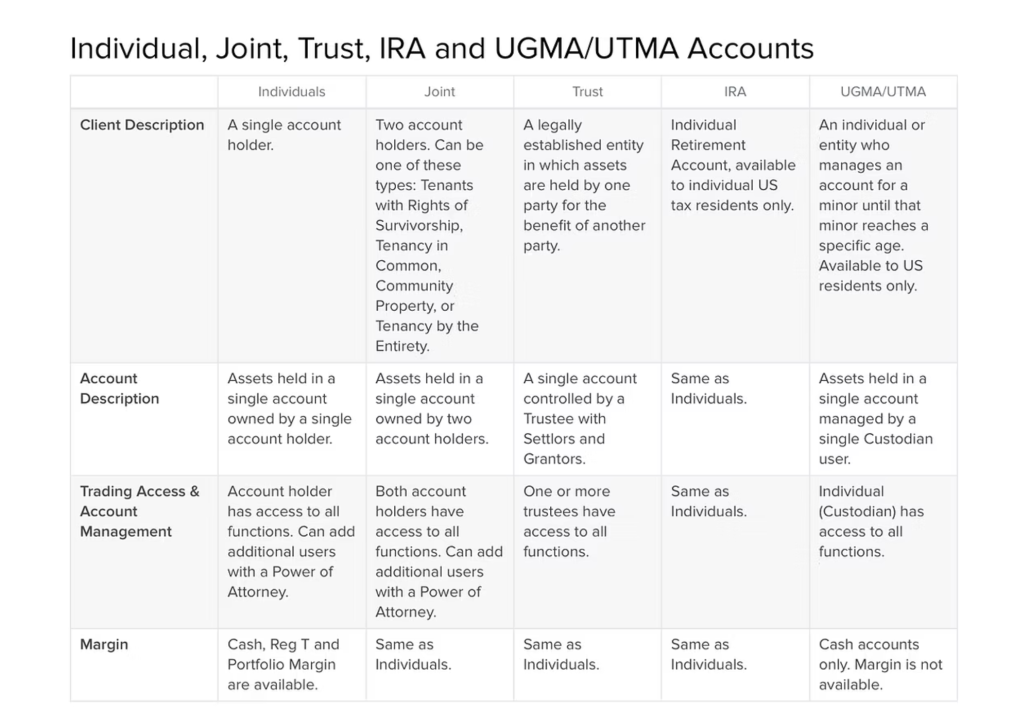
3) After verifying, you can proceed to choose what kind of account that you want to create.
- Individual
- Joint account: Joint account is suitable for couples who want to manage the account jointly and have equal rights to access. However, take note that there might be some legal or tax implications that you need to be aware of.
4) Next, fill in all the required personal details in the form.
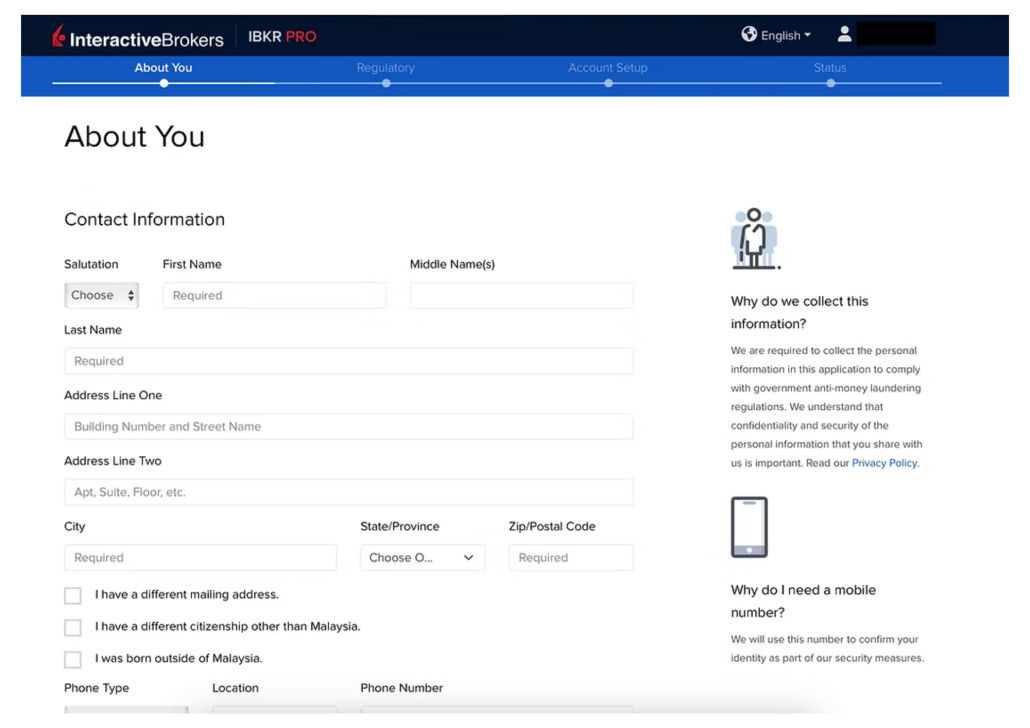
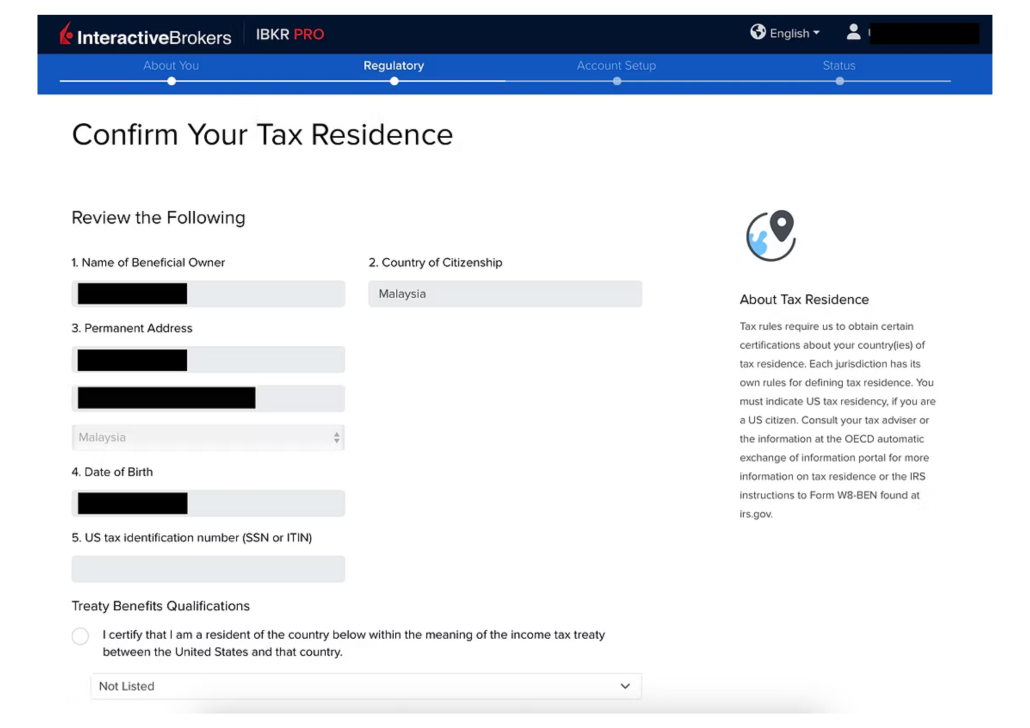
Tip : It’s good to fill in your Tax Identification Number if you already have it. You can get it from Borang B or Borang BE of your Cukai Pendapatan.
5) After that, IBKR will prompt you to configure your account. Now is the time to choose between 3 types of investment : Cash, Margin or Portfolio Margin.
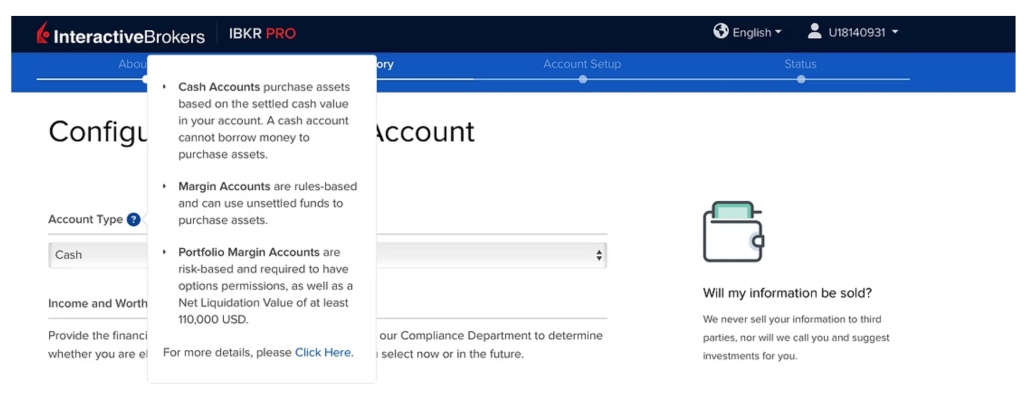
Tip: We strongly recommend you to set up a Cash account as a beginner as this comes with the least risk. Plus you can always change it later once you get more experience.
6) IBKR will also ask you about your Trading Experience in order for them to gauge your knowledge and grant you certain features based on your experience. Just key in your relevant information as you go along. For Malaysians, we are not qualified for the US Treaty Benefits Qualifications so be sure to check the box.
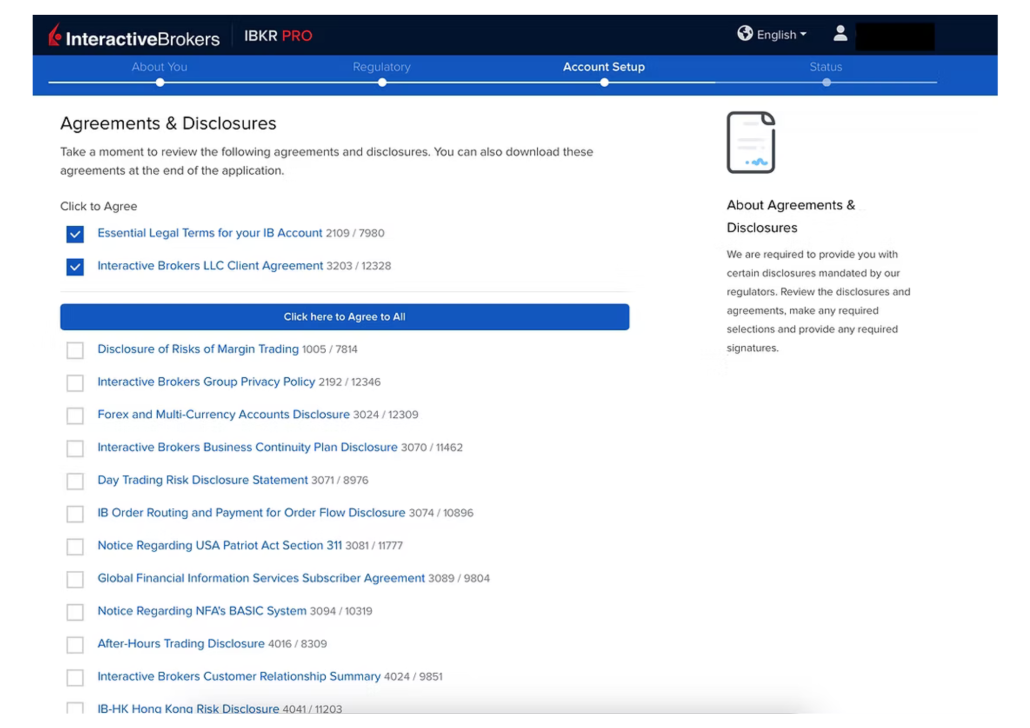
7) Then, go through the certification details, click Yes to agree with the T&C and you will be directed to sign it off electronically.
8) Now that this part is done, you will be directed to the e-KYC process. This is where you need to submit proof to verify your identity (for Malaysians it is the IC) and take a selfie.
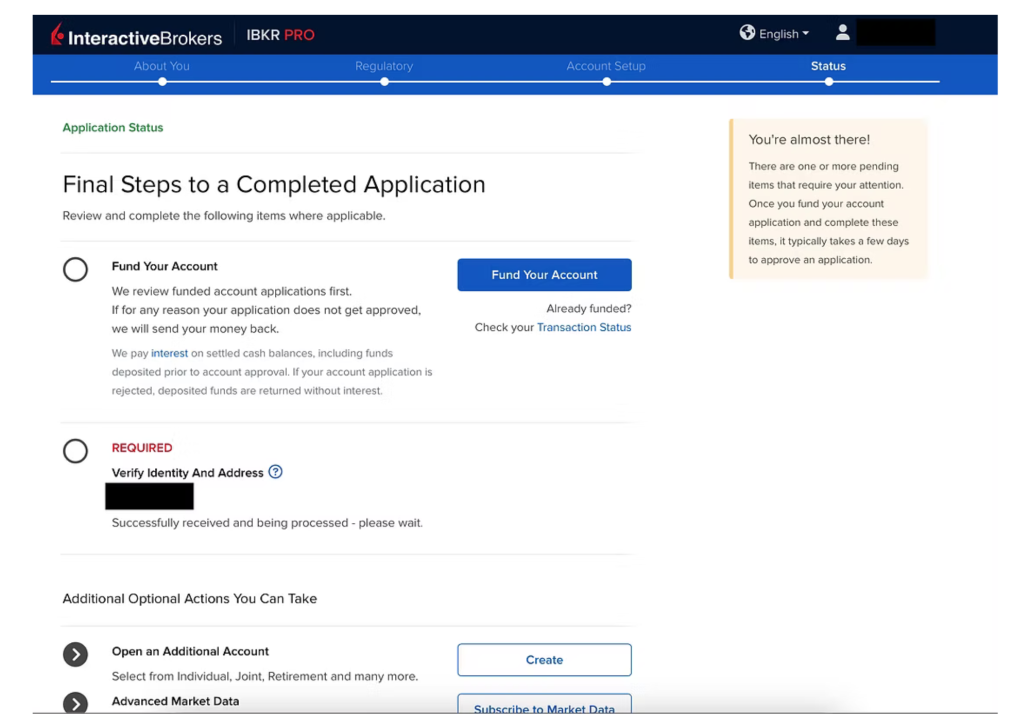
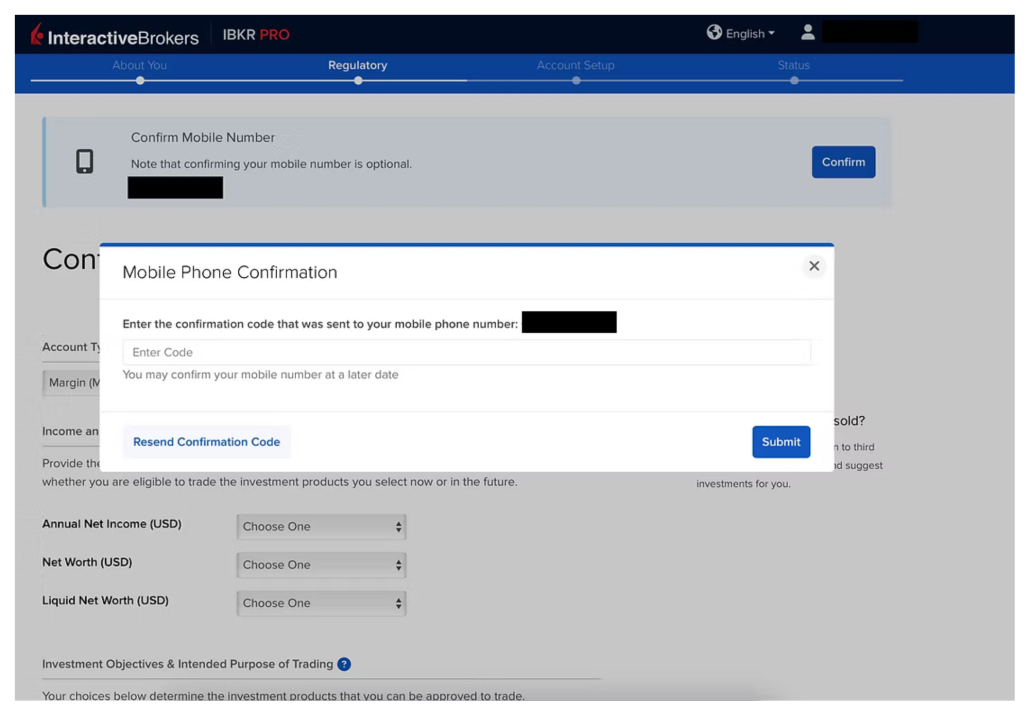
9) Once submitted, the system will start verifying you and your documents, and prompt you to wait a while. If all is clear, you will get a notification that your application is now in process.
10) Setting Up Google Authenticator for IBKR Login
To enhance account security, IBKR may require two-factor authentication (2FA) when logging in to your trading account.
*Steps:*
* Download *Google Authenticator* from the Google Play Store (Android) or Apple App Store (iPhone).
* During IBKR’s security setup, scan the QR code provided by IBKR using Google Authenticator.
* A 6-digit verification code will be generated and refreshed every 30 seconds.
* Enter the 6-digit code when prompted to complete the setup.
*For Future Logins:*
* Log in to your IBKR account using your username and password.
* Open Google Authenticator on your smartphone.
* Enter the current 6-digit code displayed for your IBKR account.
* You will then be able to access your trading account.
*Important:* Keep your phone secure and do not share your authentication codes with anyone.
11) You will receive an email from IBKR stating that your application has been approved. From this point you can now login to the platform and start funding your investment. It usually takes less than 24 hours to be approved, on average.
How to fund your IKBR account?
Although IBKR does not allow MYR as a base currency to fund your investments, there are a few options for Malaysian investors to do so. First, click on the “Transfer & Pay” button on the upper screen, then you will find the “Transfer Funds” button. Select “Deposit Funds”.
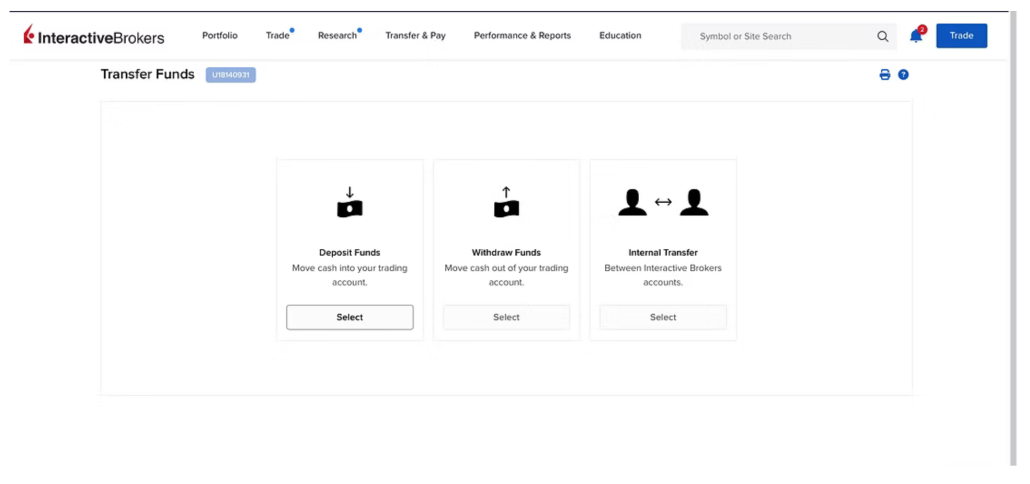
Methods of funding your IBKR account
Here are the options for fund your account:
Use a Bank transfer
Use Foreign Telegraphic Transfer (TT) service from your local account in MYR to IBKR’s international account. Note that your bank will charge a fee for this currency conversion and the wiring transaction so it’s good to check with your bank beforehand. Also, it will take a few days to appear in your IBKR account.
Use Wise transfer
If you have a Wise account, you can use it to transfer money into your funds using the currency of your choice in IBKR. Wise is known to have competitive rates and is a good option to fund your account.
First and foremost, you need to link your Wise account to your IBKR account. Once it is linked to IBKR, you can see your balances in Wise instantly within IBKR site. From there, you can choose to transfer money from Wise to IBKR, using one of these 2 methods:
- Transfer from Wise Balance
- Bank transfer via Wise
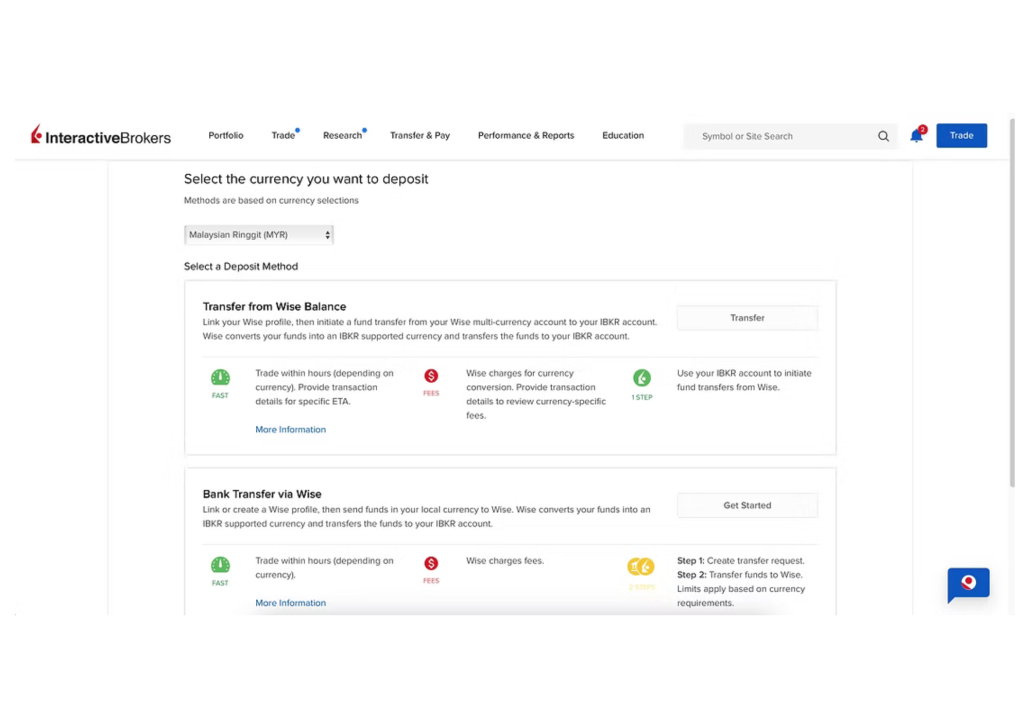
Deposit Using Wise
Wise will do the necessary conversion into your target currency. They will handle all the fees, including whatever fees charged by IBKR.
Once you have successfully funded your account, it’s time to place orders and begin your first trade.
Navigating the platform
You will see a big dashboard once your account is verified and approved and you login to the homepage. From here you can start exploring your options for your first trade or investment.
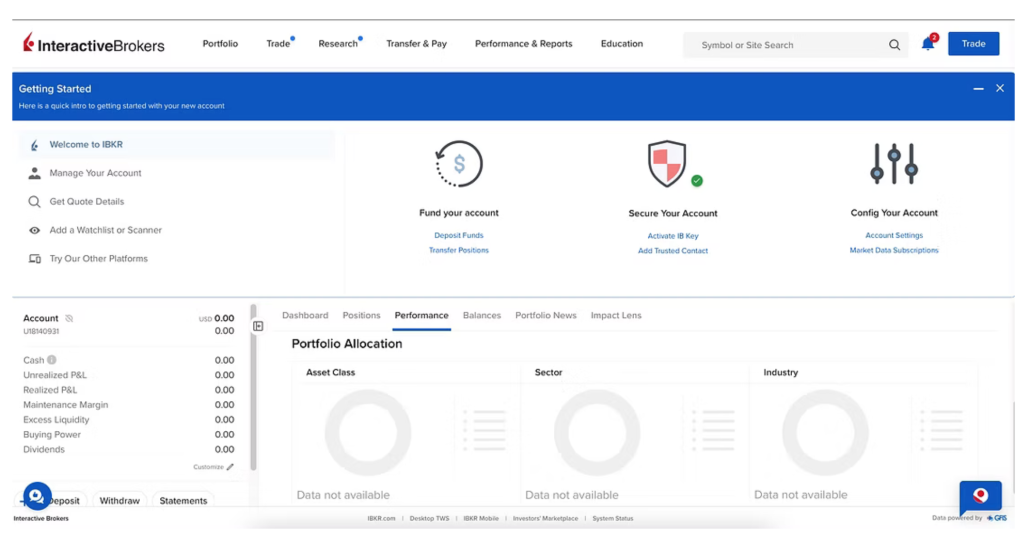
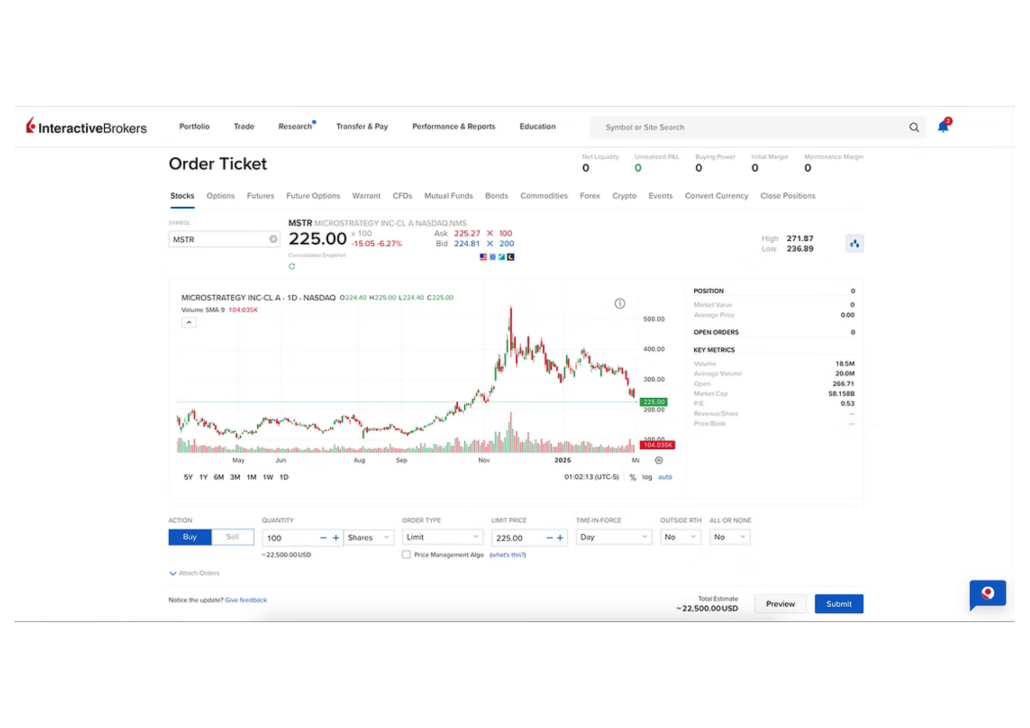
Live charts, essential financial indicators, and an easy-to-use order form for purchasing shares.r
Conclusion
That’s it! We hope this guide serves as a good guide for you to venture into IBKR and make the most out of your investments. Don’t forget that IBKR itself has a tonne of resources for learning, so make sure to leverage on it to broaden your experience and maximise returns from investing.